
Printer test page PDF
Every test on this site is also a one-page PDF, drawn from the same measurements as the on-screen sheet. Pick the test and paper size below and use Download PDF — you will get a file named for the test and the paper it is laid out for.
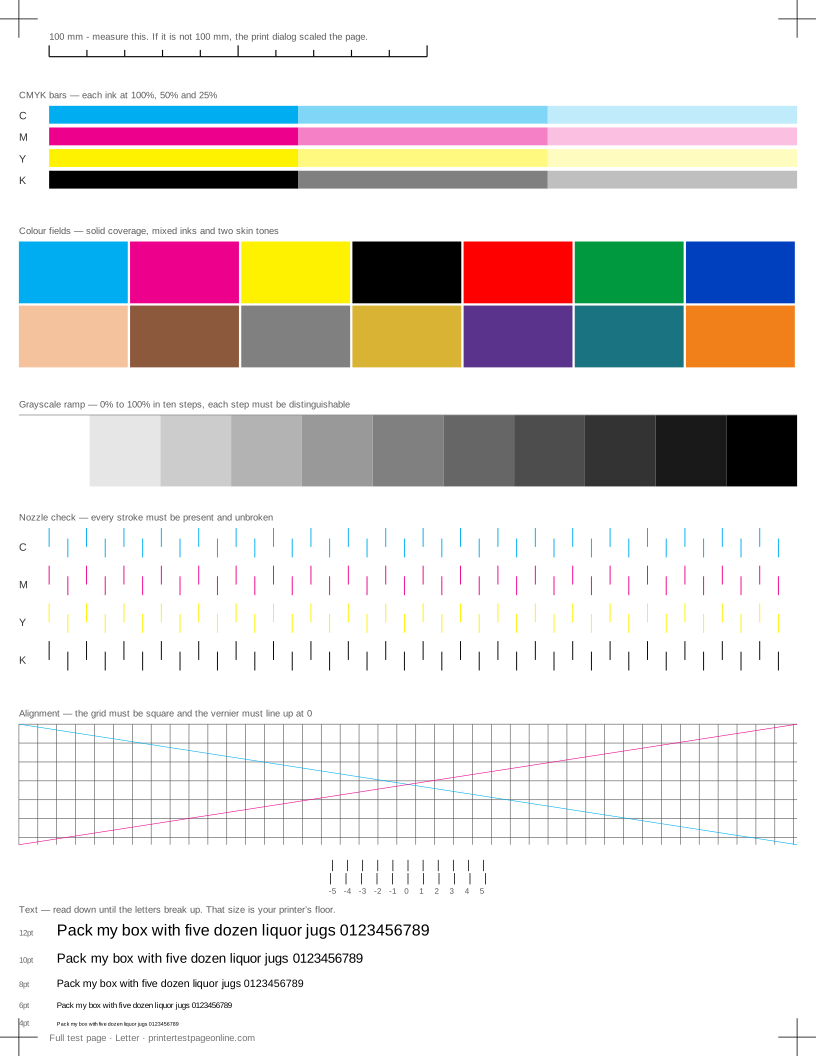
A PDF is the right choice when the machine you are browsing on is not the machine attached to the printer, when you want to send the sheet to a print shop or a colleague, or when you want to keep a dated copy to compare against later.
What this sheet prints
| Block | Height | Inks used | Shows |
|---|---|---|---|
| Registration marks | 12 mm | C, M, Y, K | The grid lines or registration marks do not line up; The crop marks or edges are cut off |
| CMYK bars | 29.9 mm | C, M, Y, K | One colour is missing from the CMYK bars; Colours print, but the wrong shade |
| Colour fields | 39.9 mm | C, M, Y, K | Everything prints pale or washed out; Bands of uneven density in the ramp or colour fields; Colours print, but the wrong shade |
| Grayscale ramp | 23.9 mm | K | Everything prints pale or washed out; Bands of uneven density in the ramp or colour fields |
| Nozzle check | 45.9 mm | C, M, Y, K | Broken or missing lines in the nozzle-check grid; One colour is missing from the CMYK bars |
| Alignment grid | 45.9 mm | K | The grid lines or registration marks do not line up; The whole pattern sits crooked on the sheet |
| Text sharpness | 30 mm | K | Small text is fuzzy or has a shadow beside it; Ink or toner smudges when you touch it |
The sheet uses 263.5 mm of the 269.4 mm printable height on Letter, inside a 5 mm margin — the tightest edge most consumer printers can hold. It is also available as a Letter PDF and an A4 PDF.
Printing the PDF at true scale
The one setting that matters is scale. In Adobe Acrobat and Preview, set Page Scaling or Scale to 100% rather than Fit to Page or Shrink Oversized Pages. Fit to page silently resizes the sheet by a percent or two, which the eye cannot see and every measurement on the page depends on.
Check the printed ruler afterwards. If 100 mm on the paper measures 100 mm, the sheet is true scale and the alignment vernier, the nozzle spacing and the text sizes all mean what they say.
Letter and A4 are separate files
Each test has a Letter file and an A4 file rather than one file that scales. Scaling a Letter sheet onto A4 shrinks it by about 3%, which would make the ruler lie and defeat the point. Pick the paper that is in the tray.
What is in the files
The PDFs are plain vector files with no embedded images, no JavaScript and no tracking. They are a few kilobytes each, they print identically on every printer, and they contain only the patterns and their captions.
Other test pages
- Color printer test page
- Black and white printer test page
- CMYK test page
- Grayscale test page
- Nozzle check test page
- Printer alignment test page
If the sheet shows a fault
Frequently asked questions
Is the PDF free?
Yes, all of them, with no sign-up and no watermark. Download as many as you need.
Which PDF should I print?
The full test page if you do not know what is wrong yet, the nozzle check if you suspect a clog and ink is low, the colour page for a colour complaint, and the laser page if your printer uses toner.
Why does my PDF print smaller than the page?
The print dialog is scaling it. Set scale to 100% and turn off Fit to Page. Some drivers also apply an unprintable-area shrink of their own, which is why the sheet is drawn with a 5 mm margin.