
Nozzle check test page
A nozzle check prints a row of short strokes for each ink. Every stroke should be present and unbroken. It is the single most useful page an inkjet owner can print, because a missing stroke is not an opinion about quality — it is a blocked nozzle, and it points at exactly one fix.
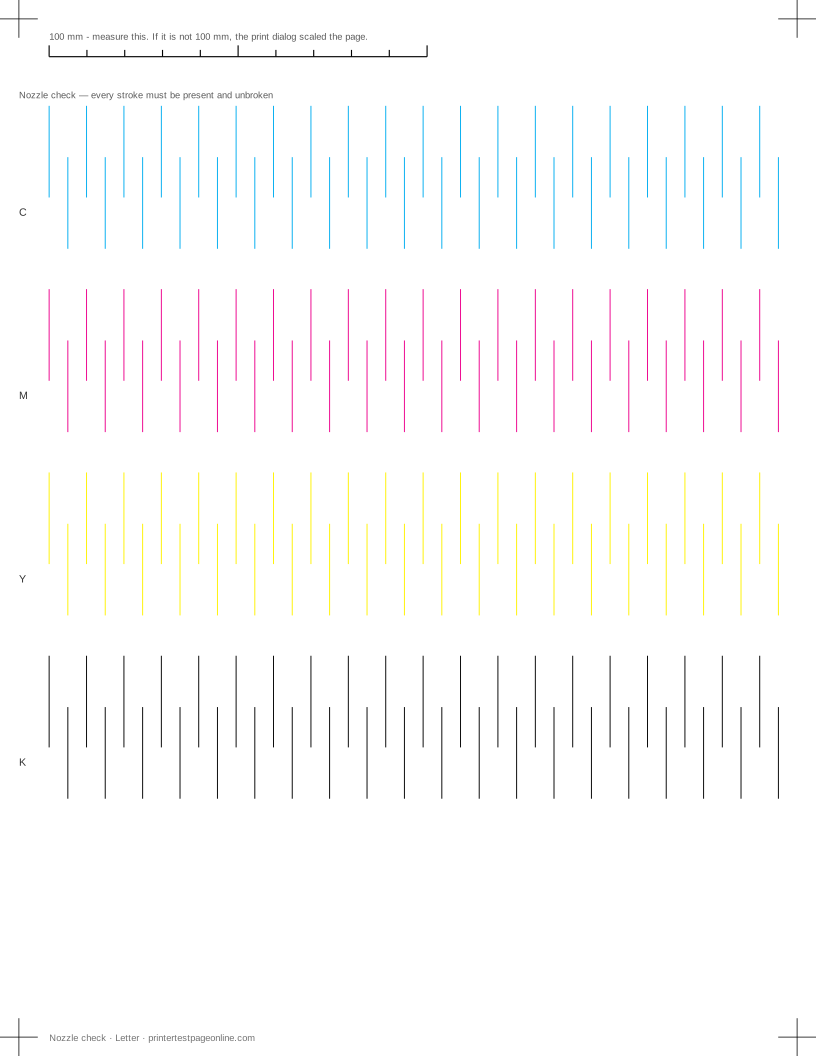
This pattern is not a substitute for your printer’s built-in nozzle check, which maps the printer’s own nozzle layout. It is the one to use when you cannot reach that menu, when the printer is shared or networked, or when you want a record you can compare against later.
What this sheet prints
| Block | Height | Inks used | Shows |
|---|---|---|---|
| Registration marks | 12 mm | C, M, Y, K | The grid lines or registration marks do not line up; The crop marks or edges are cut off |
| Nozzle check | 200 mm | C, M, Y, K | Broken or missing lines in the nozzle-check grid; One colour is missing from the CMYK bars |
The sheet uses 218 mm of the 269.4 mm printable height on Letter, inside a 5 mm margin — the tightest edge most consumer printers can hold. It is also available as a Letter PDF and an A4 PDF.
Reading the pattern
Look at each row under good light, and use a magnifier if you have one. A complete row of even strokes means that channel is healthy. One missing stroke is one blocked nozzle group and usually clears in a single cleaning cycle. Several missing strokes clustered together mean a larger blockage. A whole missing row means the cartridge is empty, unseated, or still taped.
Strokes that are present but fading along the row usually mean ink is low rather than blocked. Strokes that are doubled or wavy point at alignment rather than blockage, and the alignment page is the next sheet to print.
How many cleaning cycles to run
One cycle, then reprint the nozzle check. If it is better but not clear, one more. Stop after three. Each cleaning cycle pushes a measurable amount of ink through the head and into the waste pad, and a head that has not cleared in three cycles will not clear in a fourth.
What works after three failed cycles is time. Leave the printer switched on and idle overnight so the ink in the head stays fluid, then run one more cycle in the morning. If that fails, the head needs manual cleaning or replacing, and on a cheap printer that is the point where a new printer costs less than the repair.
Preventing clogs
Clogs are a storage problem, not a printing problem. An inkjet that prints something every week rarely blocks; one that sits for two months between jobs usually does. Printing this page monthly is enough to keep ink moving through every nozzle.
Switch the printer off at its own power button rather than at the wall, because the shutdown routine parks the head against a rubber cap that stops it drying. A printer killed at the socket leaves the head exposed.
Laser printers do not have nozzles
If your printer uses toner, there is nothing here to check. The equivalent fault — a line that should be solid and is not — shows up on the solid black block of the black and white test page, and its causes are the drum, the transfer roller or the fuser rather than a blockage.
Other test pages
- Printer alignment test page
- Text sharpness test page
- Laser printer test page
- Printer test page PDF
- Color printer test page
- Black and white printer test page
If the sheet shows a fault
Frequently asked questions
What does a nozzle check page look like when it is good?
Four complete rows of short, evenly spaced strokes, one row per ink, with no gaps and no fading along the row. Anything less than complete is a fault worth acting on.
How much ink does a cleaning cycle use?
Enough that it matters. A single cycle typically uses several pages worth of ink, and a deep or power clean uses considerably more. That is the reason for the three-cycle rule.
Should I use the printer’s own nozzle check or this one?
Use the printer’s own when you can reach it, because it is mapped to that model’s nozzle layout. Use this one when the printer is networked, shared, or has no usable front panel, and when you want a dated sheet to compare against next month.
The nozzle check is perfect but prints still look wrong. What now?
A clean nozzle check rules out blockage, which leaves alignment, the media setting, the driver quality setting and the paper itself. Print the alignment page and the black and white test page next.