
Laser printer test page
Laser faults do not look like inkjet faults, and most test pages on the web are drawn for inkjets. This sheet leaves out the nozzle check, which means nothing on a laser, and leans on the blocks that do reveal toner, drum and fuser problems: a solid black block, a grayscale ramp, an alignment grid and a text block.
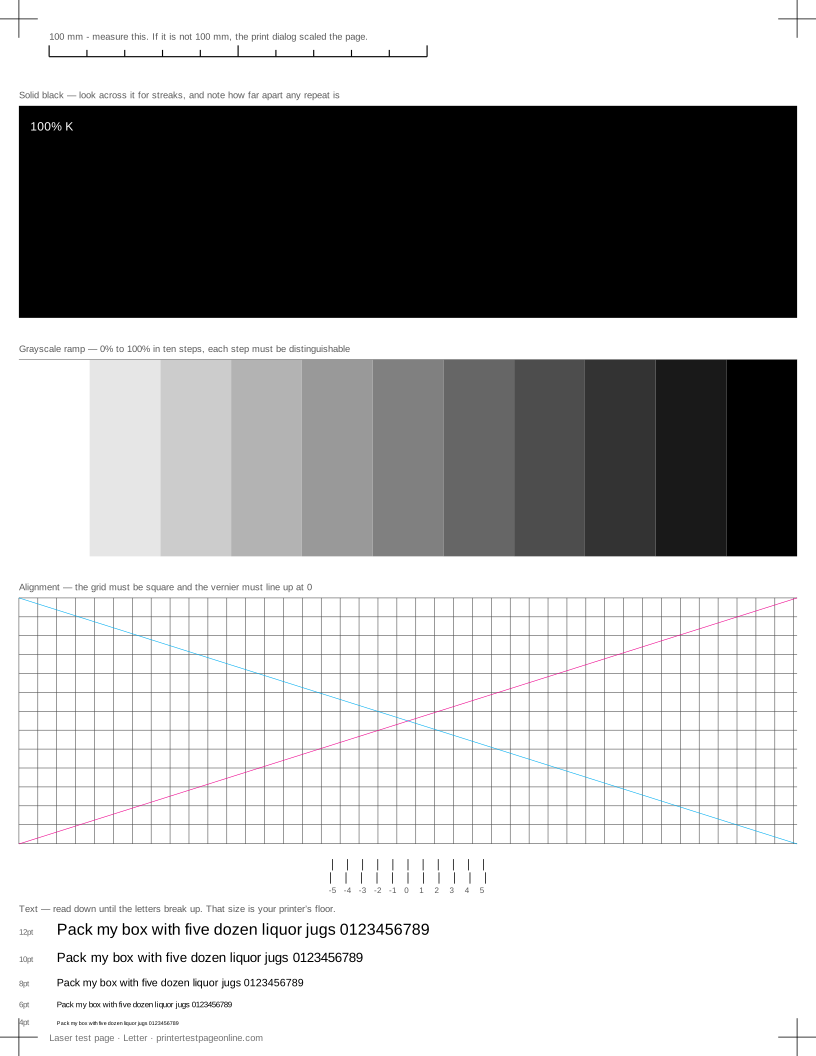
What this sheet prints
| Block | Height | Inks used | Shows |
|---|---|---|---|
| Registration marks | 12 mm | C, M, Y, K | The grid lines or registration marks do not line up; The crop marks or edges are cut off |
| Solid black | 61.1 mm | K | Horizontal streaks or lines across the solid blocks; Bands of uneven density in the ramp or colour fields; Ink or toner smudges when you touch it |
| Grayscale ramp | 57.1 mm | K | Everything prints pale or washed out; Bands of uneven density in the ramp or colour fields |
| Alignment grid | 79.1 mm | K | The grid lines or registration marks do not line up; The whole pattern sits crooked on the sheet |
| Text sharpness | 30 mm | K | Small text is fuzzy or has a shadow beside it; Ink or toner smudges when you touch it |
The sheet uses 263.3 mm of the 269.4 mm printable height on Letter, inside a 5 mm margin — the tightest edge most consumer printers can hold. It is also available as a Letter PDF and an A4 PDF.
Measure the repeat distance
The most useful thing on a laser test page is a ruler. Laser components are cylinders, so a mark on one repeats down the page at the circumference of that part. Find the same defect twice, measure between them, and you have identified the component: short repeats of 25 to 50 mm usually come from a developer or charge roller, repeats around 75 to 95 mm from the drum, and long repeats from the fuser.
Write the measurement down before you call support or order a part. It converts a vague complaint into a specific one and usually saves buying the wrong consumable.
Streaks, bands and voids
A thin vertical line down the page usually means debris on the drum or a scratched drum surface. Horizontal banding across the grayscale ramp points at low toner or an uneven feed; shaking a toner cartridge gently side to side redistributes what is left and buys a few more pages, which is a diagnosis rather than a repair. A pale patch in the same place on every page is a drum or developer fault.
Toner that rubs off
If the solid black block smudges under your thumb once the page has cooled, the fuser is not reaching temperature. That is not a print-quality setting and no amount of cleaning fixes it — the fuser is a wear part with a rated page count, and on many printers it is user-replaceable.
Toner that smudges only on heavy stock is a different thing: the driver is treating it as plain paper and not giving it enough heat. Set the media type correctly first.
Colour lasers and registration
A colour laser lays down four channels in sequence and has to register them against each other. The crossed diagonals on the alignment grid show that: a colour fringe along one side of the black lines means registration has drifted, and the fix is the printer’s own colour calibration routine rather than anything you can do with the driver.
Other test pages
- Printer test page PDF
- Color printer test page
- Black and white printer test page
- CMYK test page
- Grayscale test page
- Nozzle check test page
If the sheet shows a fault
Frequently asked questions
Why does my laser printer leave a vertical line down every page?
Usually debris on the drum or a scratched drum surface. Check whether the line appears on this sheet in the same horizontal position every time; if it does, and cleaning the paper path does not clear it, the drum unit is the part.
Do I need to clean a laser printer?
Paper dust builds up in the path and on the sensors, and that causes streaks and misfeeds. A dry lint-free cloth on the visible parts of the path, with the printer off and cooled, is worth doing when you change toner. Do not use solvents or a vacuum on toner.
Can I run a nozzle check on a laser printer?
No. Nozzles are an inkjet part. The laser test page here leaves it out deliberately so the sheet does not tell you to chase a fault your printer cannot have.