
Printer printing crooked
Crooked output looks like one problem and is two. In skew, the whole page is rotated on the sheet: the pattern is internally correct but sits at an angle, because the paper travelled through the printer at an angle. In misalignment, the paper is straight but the print head lays passes down out of register, so lines double, colours shift sideways and text grows a shadow.
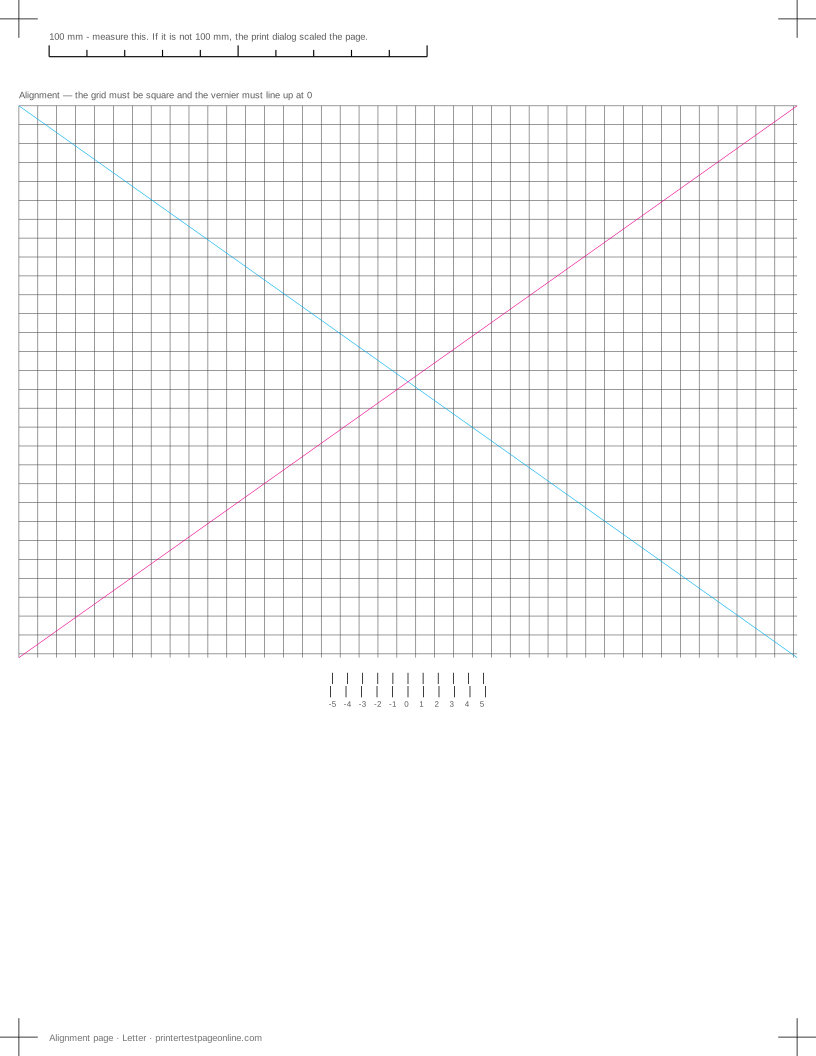
The alignment sheet separates them. Its registration crosshairs sit at a fixed distance from the paper edge, so measuring both top corners tells you whether the paper was crooked or the printing was.
Telling skew from misalignment
Print the alignment sheet and measure from the top edge of the paper down to each of the top registration marks. If the two measurements differ, the paper is skewed — the sheet went through crooked and everything on it rotated with it. If they match but the grid lines double or the vertical rules are broken into steps, the paper was straight and the head is out of register.
A quick second check: fold the printed sheet in half along the centre line of the pattern. If the pattern halves line up but the paper edges do not, that is skew. If the paper edges line up but the pattern does not, that is misalignment.
Fixing skew
Skew is mechanical and nearly always in the tray or the feed. Square the paper guides against the stack so they touch without squeezing; a millimetre of slack lets each sheet enter at a slightly different angle, which is why skew is often inconsistent from page to page.
Then reduce the stack to fifty sheets or so and fan it before loading, check the stack is not above the fill line, and look for a curled or damp ream — curled paper enters at an angle no guide can correct. If skew persists on fresh, well-guided paper, the pickup roller is worn or glazed and is gripping one side harder than the other. Cleaning it with a damp lint-free cloth often restores enough grip to buy months.
Fixing misalignment
Misalignment is a calibration problem and the printer can usually fix it itself. Run Print Head Alignment from the printer panel or the maintenance utility — it prints a pattern, you pick the cleanest sample or it scans the page itself, and it stores the offset.
If alignment does not hold, look at what is moving. A dirty encoder strip (the thin translucent ribbon running the width of the carriage) makes the printer lose track of head position and produces misalignment that returns immediately after every calibration; wipe it with a dry lint-free cloth, never a solvent. Heavy paper and thick card also shift the head-to-paper distance, so a printer aligned on plain paper can be visibly out on card.
When both appear together
A worn feed mechanism can produce both at once, because a sheet that is moving unevenly through the path is also moving unevenly under the head. Work in the mechanical order: fix the feed first with fresh paper and squared guides, then rerun alignment on a page you know fed straight. Calibrating on a skewed sheet stores a bad offset and makes straight pages worse.
If both faults survive fresh paper, squared guides, a cleaned roller and a fresh alignment, the printer has mechanical wear that a service would have to address — and on most consumer models that costs more than the printer.
Causes, cheapest first
The whole pattern sits crooked on the sheet
| Cause | What to do | Applies to |
|---|---|---|
| The paper guides are not holding the stack square | Square the guides against the stack so the sheet cannot rotate as it feeds, and reprint the alignment page. | both |
| The tray is overfilled or holds mixed sizes | Load one size only and keep the stack below the fill line. | both |
| A feed roller is worn on one side | Measure the offset between the top and bottom crop marks. A consistent offset that grows down the page means the roller, and it is a service part. | both |
The grid lines or registration marks do not line up
| Cause | What to do | Applies to |
|---|---|---|
| Bidirectional head alignment has drifted | Run the head-alignment utility, then reprint the alignment page. | both |
| The paper guides are loose | Square the guides against the stack so the sheet cannot skew as it feeds. | both |
More troubleshooting
Frequently asked questions
Why is my printer printing crooked on the page?
The paper is entering the printer at an angle. Square the tray guides against the stack, use a smaller stack of flat, dry paper, and clean the pickup roller if it persists.
What is the difference between skew and misalignment?
Skew rotates the whole page because the paper travelled crooked. Misalignment leaves the paper straight but prints passes out of register, giving doubled lines and shadowed text. Measure both top registration marks to tell them apart.
How often should I run print head alignment?
Only when a printed alignment page shows it is needed, after replacing a cartridge, or after moving the printer. Running it repeatedly wastes ink and fixes nothing if the real fault is skew.